Milestone #1 - Requirements & Mockups
textpost · published
Attachments
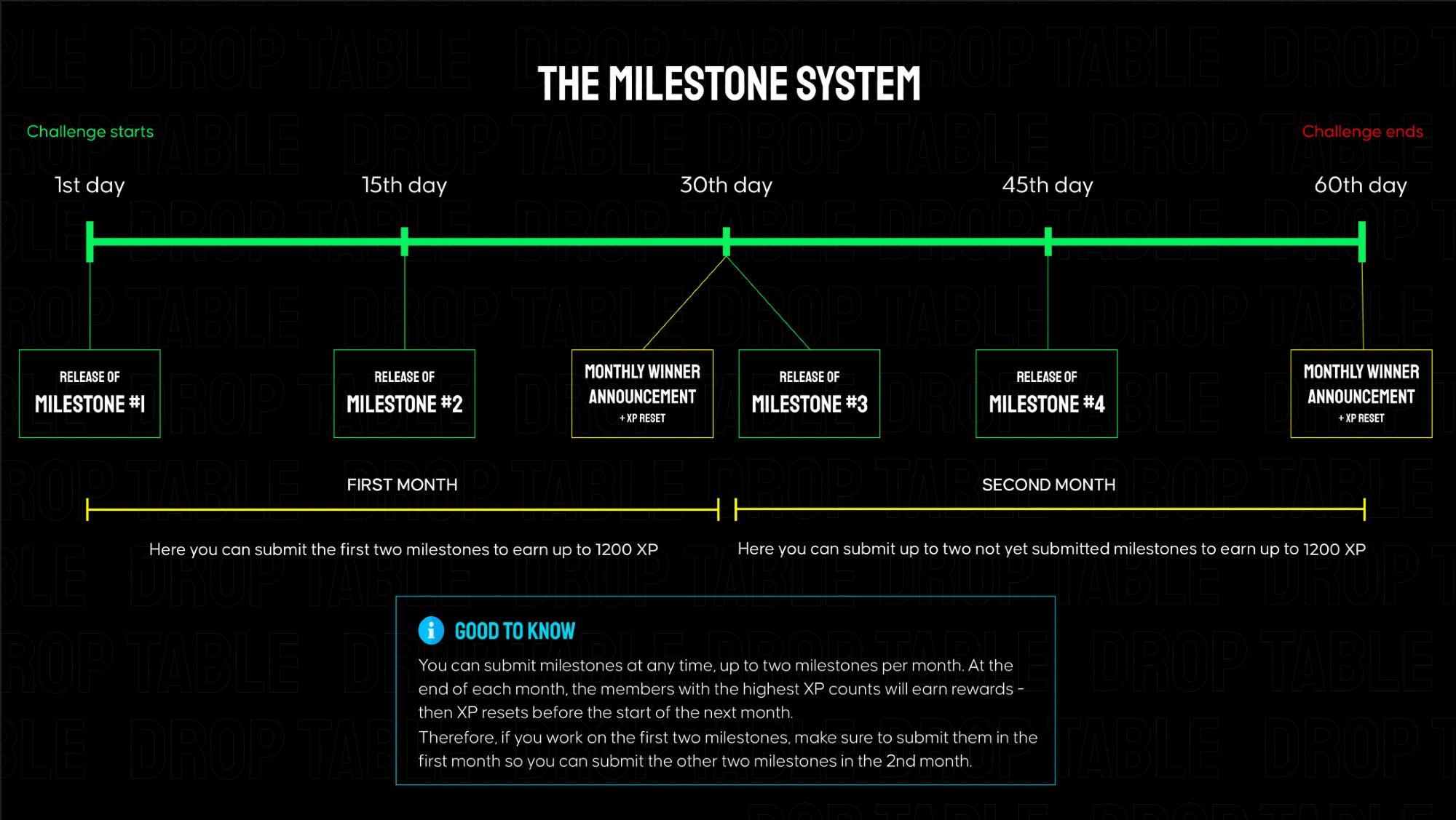
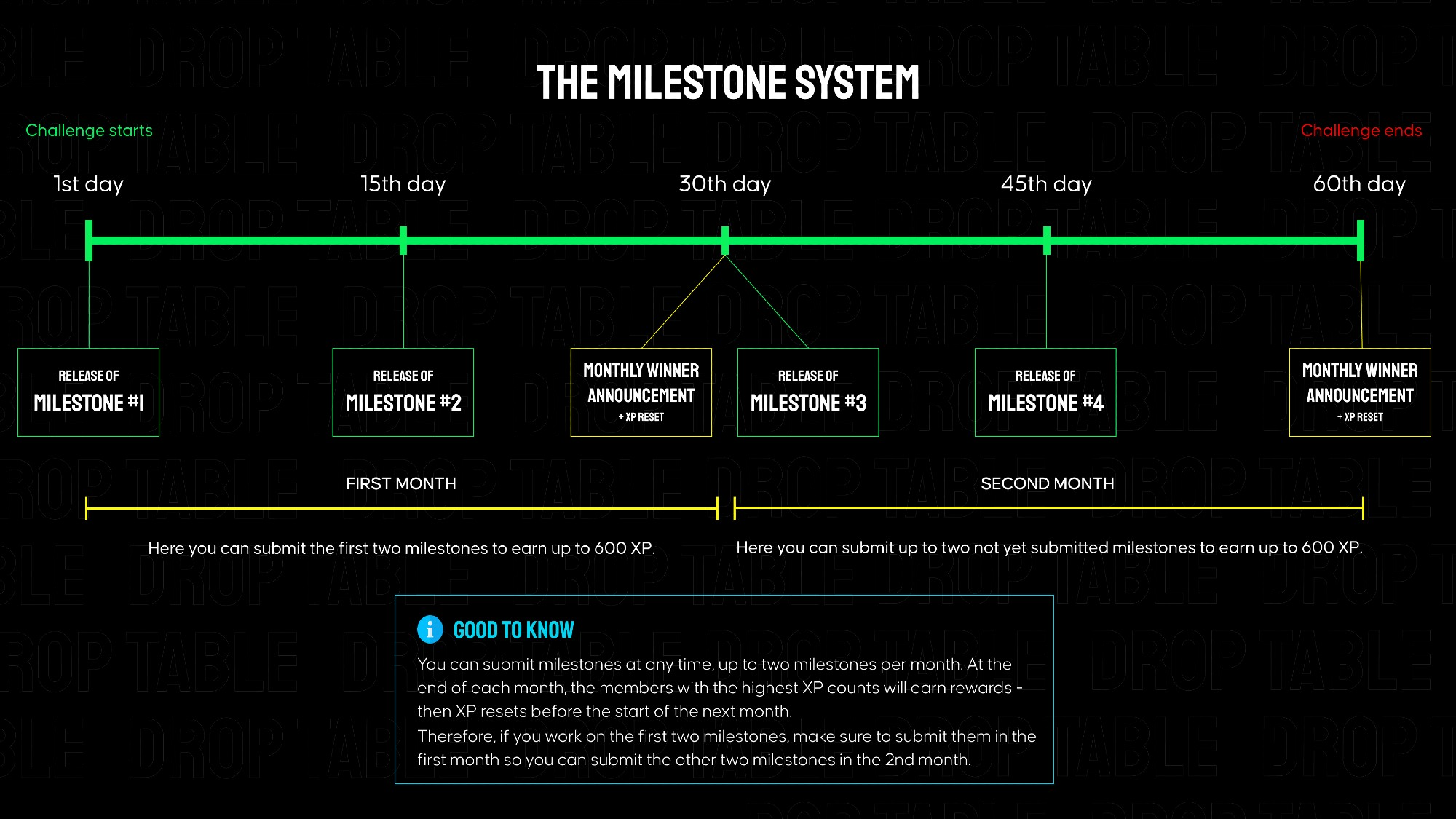
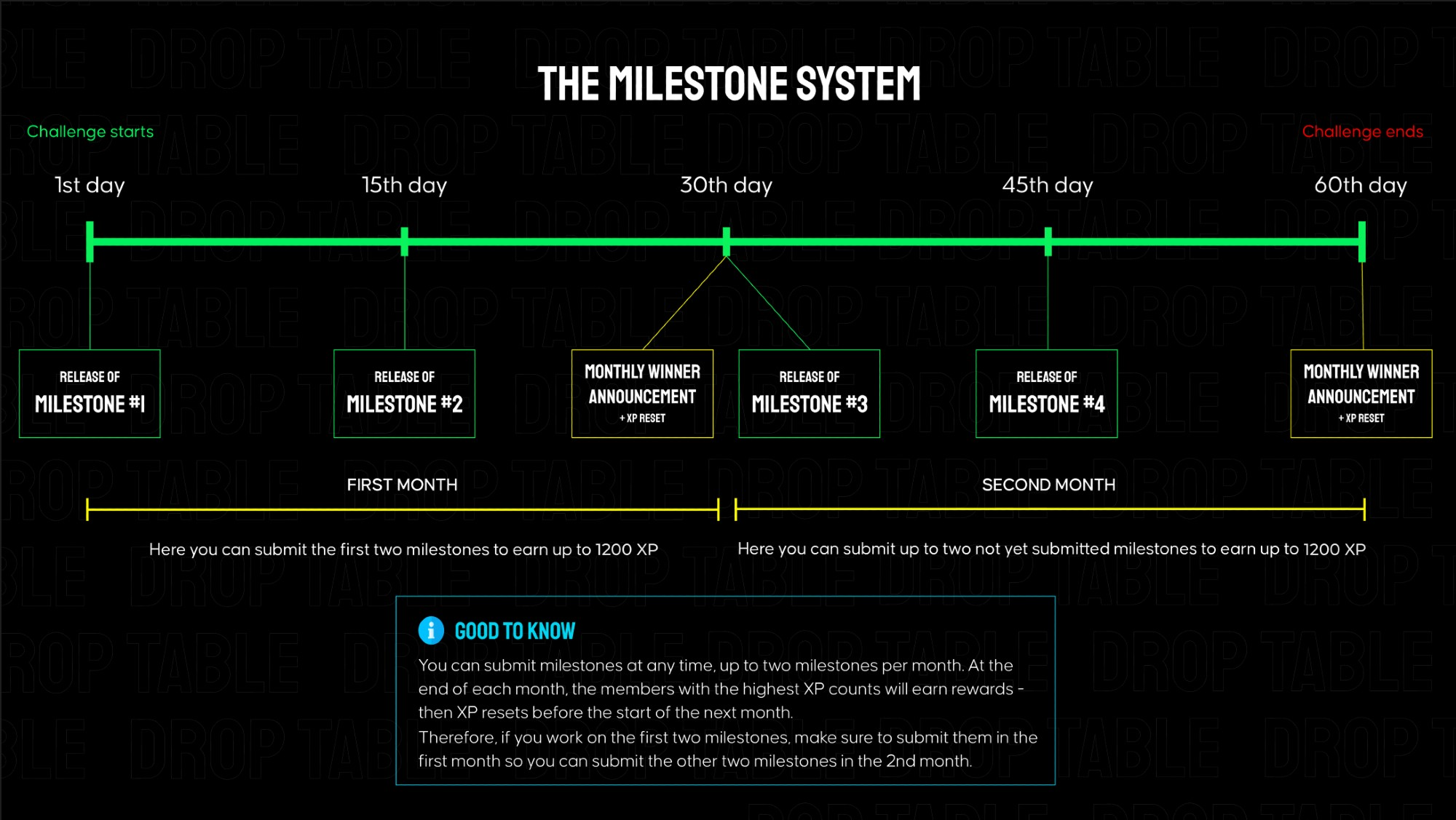
Lazy Pizza is separated into 4 milestones that build on each other, each granting 600 XP when submitted on Discord. Every ~2 weeks a new milestone is released here in the members area. The total challenge goes over 2 months.
Because Firebase Storage is no longer available in the free plan, we decided to simplify the task for participants and provide a ready-to-use image hosting solution.
All design assets have been uploaded to our website, and you can now access them directly via URL links. The image files keep the same folder structure as in the provided archive.
For example, if your archive path looks like this:
/drink/7-up.png
then the full URL for loading this file will be:
https://pl-coding.com/wp-content/uploads/lazypizza/drink/7-up.png
You can replace the part after /lazypizza/ with the corresponding folder or file name (for example, /pizza/, /sauce/, /icecream/).
Other FIrebase services — such as Authentication and Firestore Database — remain free for basic use, so you can safely use them in this project.
As an alternative, you can also consider Supabase, which offers similar functionality, including Storage, whithin its free plan.
👉 In the attachments, you can find links to the mockups and requirements for milestone #1.
Submission for Milestone #1:
A valid submission consists of a screen recording showcasing your app's functionality (must match the instructions below) as well as a link to your public GitHub repository.
Instructions for the milestone #1 video for Lazy Pizza - no longer than 90s:
Open the app and show the Splash Screen.
Use the search. Find Chocolate Ice Cream.
In the horizontal category list, tap on Drinks to scroll the list.
Tap Add to Cart on any product.
Increase the product quantity.
Decrease the product quantity to 1 and press minus.
Add the product again and remove it from the list using the trash icon.
Open the details screen of any pizza.
Scroll to the extra toppings section.
Add one topping.
Increase the topping quantity to 3.
Decrease the topping quantity to 0.
Attach screenshots of the main screen and the product details screen in wide-screen layout.
Make sure all behavior and visuals match the official mockups.
📂 In the attached files you will find images of all products that should be used in this challenge.