Natour
← Back to chapters

February 2026 - February Moments

[Easy] [System APIs · Network State · State Management · UI] - Still Connected

textpost · published

Attachments

🎭 Scenario

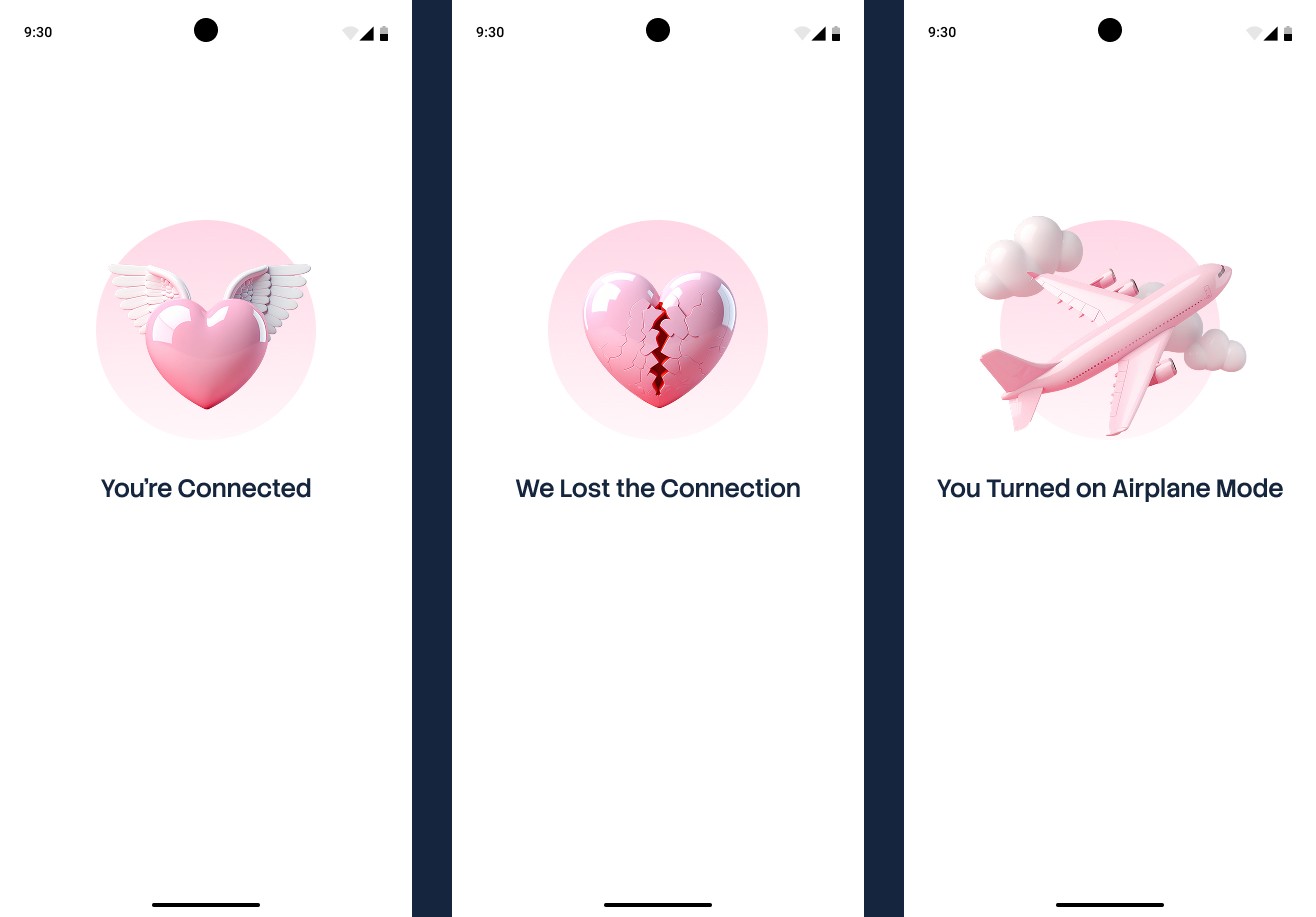
This mini-challenge focuses on building a simple single-screen application that reflects the device’s current internet connection state in real time and clearly communicates whether the user is connected, has lost the connection, or has intentionally disconnected by enabling Airplane Mode.

You can find the technical requirements, destination images and mockups in the attachments section ☝️

🔤 Font - Stack Sans Headline

🔗 Useful Links for This Challenge

🤔 What's Allowed?

  • Standard Android/Jetpack libraries

  • No 3rd party libraries are allowed or would be required to complete this challenge

  • Using standard Android connectivity APIs.

⚠️ What's not important

  • Responsiveness across every device size or orientation is not mandatory.

  • Light / Dark mode.

  • Complex animations.

  • Handling every possible network edge case.


🏆 Submission & Rewards

  • A successful submission of this challenge via the /submit-challenge command on Discord grants you 100 XP. You can use it in any channel on Discord :)

  • A successful submission consists of these parts

    1. A link to a Gist with your implementation

    2. A screen recording (max 20 seconds) showing:

      • The Connected state.

      • Disabling internet → Connection Lost.

      • Enabling Airplane Mode → Disconnected by you.

      • Automatic UI updates without restarting the app.
[Easy] [System APIs · Notifications · State Management · UI] - Missed Messages

textpost · published

Attachments

🎭 Scenario

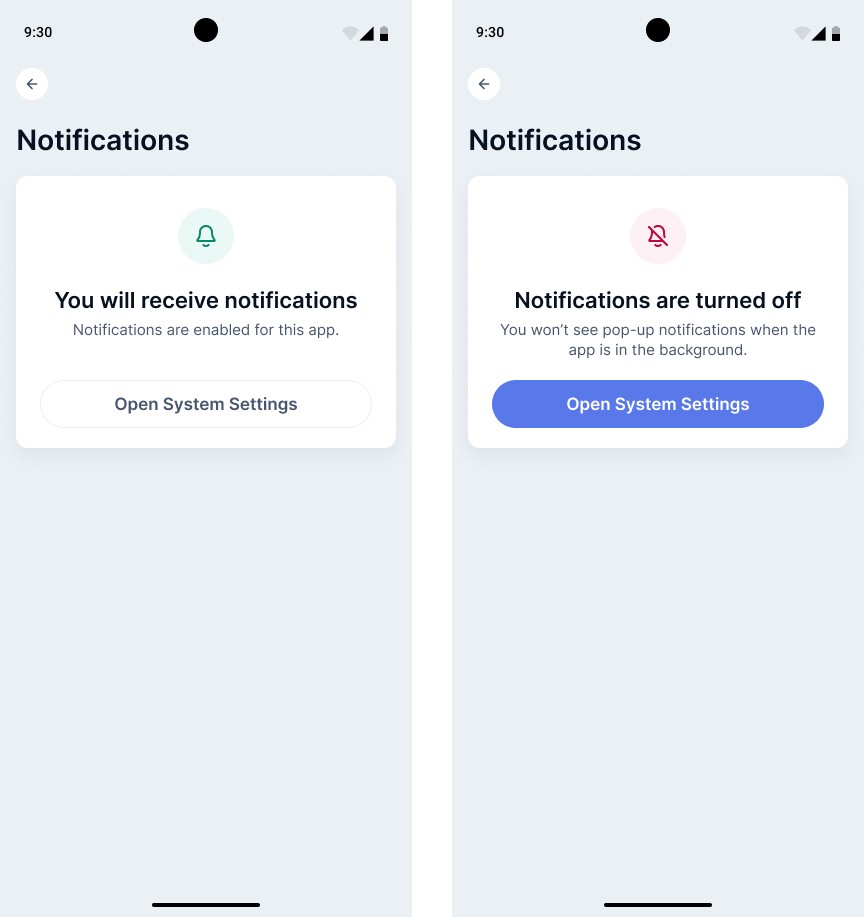
This mini-challenge focuses on building a simple notification settings screen for a hypothetical messenger app that clearly shows whether system notifications are enabled and explains when messages may be missed due to system-level settings rather than an app issue.

You can find the technical requirements and mockups in the attachments section ☝️


🔤 Font - Inter

🔗 Useful Links for This Challenge

🤔 What's Allowed?

  • Standard Android/Jetpack libraries

  • No 3rd party libraries are allowed or would be required to complete this challenge

  • Using standard Android APIs to detect notification permission state.

⚠️ What's not important

  • Responsiveness across every device size or orientation is not mandatory.

  • Light / Dark mode.

  • Handling edge cases beyond basic notification enabled/disabled states.

  • Complex animations or visual effects.


🏆 Submission & Rewards

  • A successful submission of this challenge via the /submit-challenge command on Discord grants you 100 XP. You can use it in any channel on Discord :)

  • A successful submission consists of these parts

    1. A link to a Gist showing your code for this challenge.

    2. A screen recording (max 20 seconds) showing:

      • Opening the app with notifications enabled.

      • Tapping Open System Settings and opening the app’s notification settings.

      • Disabling notifications at the system level.

      • Returning to the app and seeing the UI update to Notifications Disabled.

      • Opening system settings again from the disabled state.

      • Re-enabling notifications.

      • Returning to the app and seeing the UI update back to Notifications Enabled.

[Easy] [System APIs · App Lifecycle · State Management · UI] - Last Active

textpost · published

Attachments

🎭 Scenario

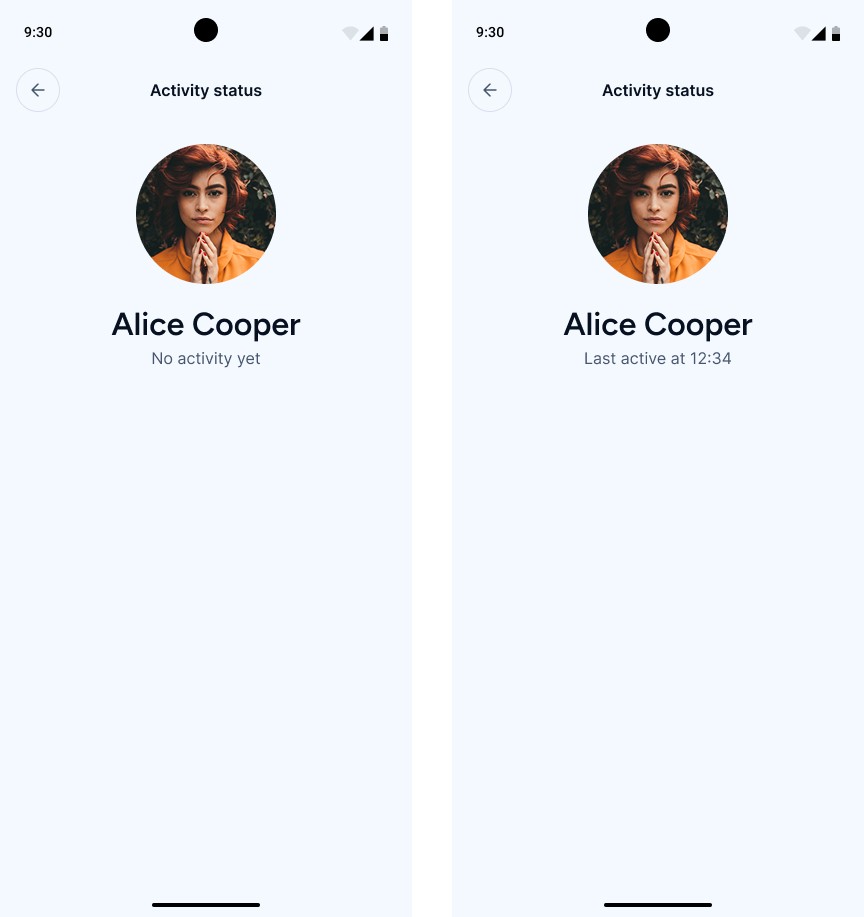
This mini-challenge focuses on building a simple single-screen interface that displays a user’s activity status in a “Last active” format, showing the moment when the app last transitioned to the background. For simplicity, the app displays the user’s own activity status, while the logic mirrors how another user’s presence is typically shown in real messaging and social apps.

You can find the technical requirements and mockups in the attachments section ☝️


🔤 Font - Figtree

🔗  Useful Links for This Challenge

🤔 What's Allowed?

  • Standard Android/Jetpack libraries

  • No 3rd party libraries are allowed or would be required to complete this challenge

  • Using standard Android APIs to observe app lifecycle events.

⚠️ What's not important

  • Responsiveness across every device size or orientation is not mandatory.

  • Light / Dark mode.

  • Complex date localization or advanced time formatting.

  • Handling edge cases such as time zone changes.


🏆 Submission & Rewards

  • A successful submission of this challenge via the /submit-challenge command on Discord grants you 100 XP. You can use it in any channel on Discord :)

  • A successful submission consists of these parts

    1. A link to a Gist showing your code for this challenge.

    2. A screen recording (max 40 seconds) showing:

      • Opening the app for the first time and displaying the “No activity yet” state.

      • Sending the app to the background (e.g. pressing the Home button).

      • Reopening the app and showing the “Last active …” status.

[Medium] [System APIs · File Sharing · State Management · UI] - Shared Valentine

textpost · published

Attachments

🎭 Scenario

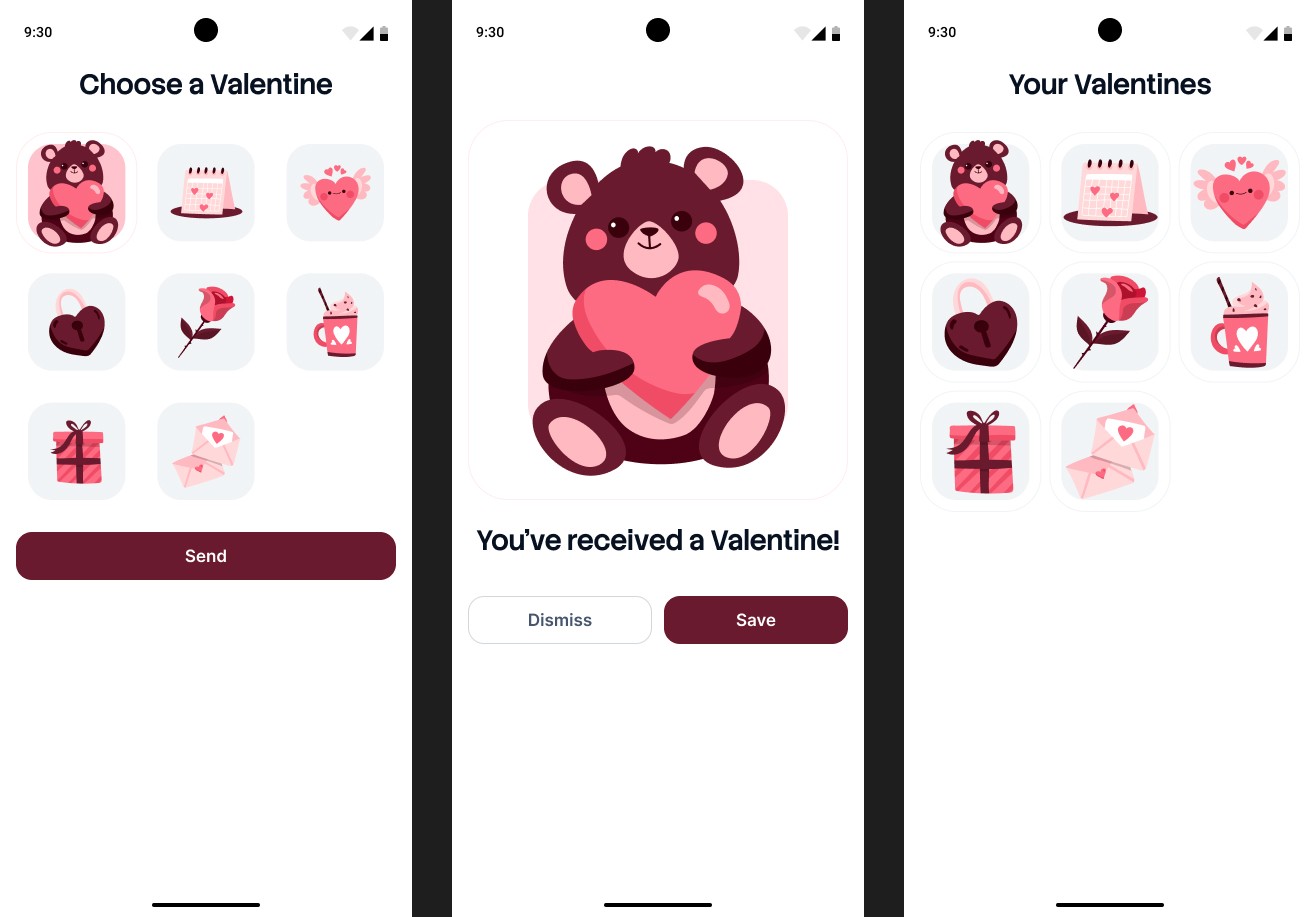
This challenge focuses on building two Android apps that interact through the standard system file sharing flow. One app allows the user to select a Valentine card and send it, while the other app receives the shared image, displays it in a preview, and lets the user save or discard it.

You can find the technical requirements and mockups in the attachments section ☝️


🔤 Fonts - Stack Sans Headline

🔗 Useful Links for This Challenge

🤔 What's Allowed?

  • Standard Android/Jetpack libraries

  • No 3rd party libraries are allowed or would be required to complete this challenge

  • Using standard Android intents to receive shared images from other apps.

⚠️ What's not important

  • Responsiveness across every device size or orientation is not mandatory.

  • Light / Dark mode.

  • Advanced image editing or manipulation.

  • Complex navigation or multi-screen flows.

  • Animations or visual effects.

  • Handling all possible edge cases related to external file sharing.


🏆 Submission & Rewards

  • A successful submission of this challenge via the /submit-challenge command on Discord grants you 200 XP. You can use it in any channel on Discord :)

  • A successful submission consists of these parts

    1. A link to a Gist showing your code for this challenge.

    2. A screen recording (max 30 seconds) showing:

      • Launching the Valentine Sender app.

      • Selecting a Valentine card.

      • Tapping Send and opening the system Android share chooser.

      • Selecting the Valentine Receiver app from the chooser.

      • Showing the Preview (Receiving) state with the received Valentine and tapping Dismiss.

      • Sending another Valentine from the Sender.

      • Showing the Preview state again.

      • Tapping Save and confirming the Valentine appears in the Gallery.

[Hard] [System APIs · Navigation · State Management · UI] - Moment Journey Flow

textpost · published

Attachments

🎭 Scenario

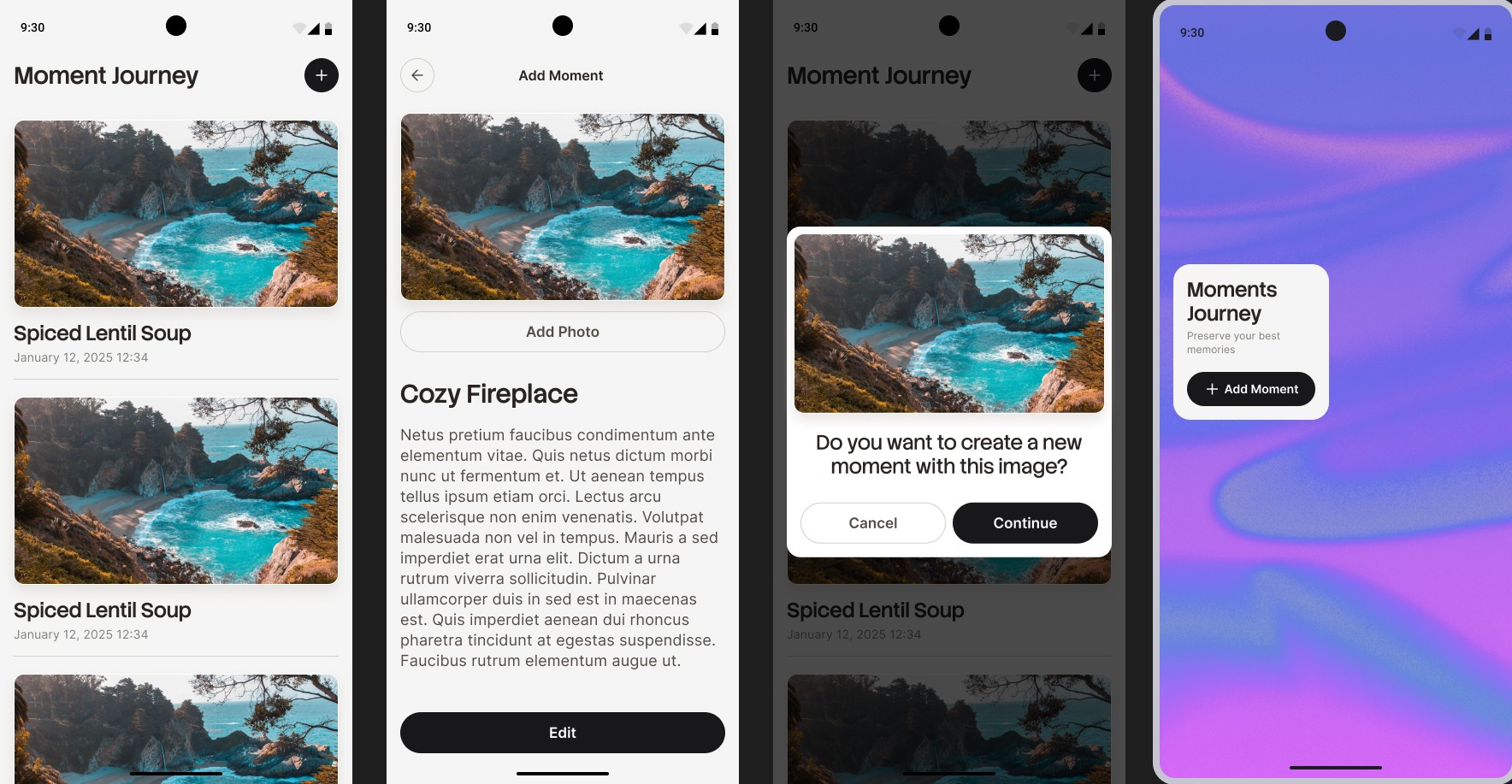
This challenge focuses on building a Moment Journey app that lets users capture and revisit personal moments in a chronological timeline. The app can be launched from multiple entry points — such as the app icon, a home screen widget, notifications, or external intents — and each entry point must lead to a specific screen with a correctly constructed navigation flow and back stack.

You can find the technical requirements and mockups in the attachments section ☝️


🔤 Font - Stack Sans Headline, Inter

🔗 Useful Links for This Challenge

🤔 What's Allowed?

  • Standard Android/Jetpack libraries

  • No 3rd party libraries are allowed or would be required to complete this challenge

  • Using WorkManager, NotificationManager, or any other standard Android APIs to trigger the local notification.

⚠️ What's not important

  • Persistence or long-term storage of moments (in-memory storage is acceptable for this challenge).

  • Custom notification layouts — a standard system notification is fully sufficient.

  • Handling edge-case errors for Share Intents

  • Animations, transitions, or custom gesture behavior.

  • Complex widget behavior — the widget only needs to open the Add Moment screen.

  • Responsiveness across every device size or orientation is not mandatory.

  • Light / Dark mode.


🏆 Submission & Rewards

  • A successful submission of this challenge via the /submit-challenge command on Discord grants you 300 XP. You can use it in any channel on Discord :)

  • A successful submission consists of these parts

    1. A link to a Gist showing your code for this challenge.

    2. A screen recording (max 90 seconds) showing:

      1. External Import

        • Share an image to the app from another app (e.g. Gallery).

        • Show the Import Moment modal.

        • Tap Continue to open Add Moment with the image pre-filled.

        • Press Back to return to Journey Overview.

      2. Home Screen Widget

        • Tap the Add Moment home screen widget.

        • Verify that Add Moment opens.

        • Press Back to return to Journey Overview.

      3. In-app Creation

        • From Journey Overview, tap the Add (+) button in the top bar.

        • Create a new moment and tap Save.

        • Verify that:

          • you return to Journey Overview

          • a local notification is shown

      4. Notification Navigation

        • Tap the notification.

        • Verify that Moment Details for the saved moment opens.

        • Press Back → return to Journey Overview.

        • Press Back again → the app exits.